
Back to homepage.
My name is Anaïs and I'm confused.
Back to homepage.
There was a few different needs in terms of VFX for the ambiant part, here's what I've done.
It seemed logical to have stale water in the abandonned pool, this one was a very easy one. I simply blended 3 differents normal maps made out of noises and used the output to convert to grayscale to lerp the different colors.
The designers wanted a "glowing outline effect" on interactible assets such as the photo films and the bins, I really just used a fresnel and made it glow with a sine in the material, and added parameters for them to adjust the blinking, intensity and color as they liked.
This one was the funniest to do ! I didn't want to use the volumetric fog ready made by unreal, so I tried something else. My take was to use a plane to simulate the fog, but I definitely didn't want it to cover the whole map.
Need n°1 : it needs to be parented to the player. Need n°2: the texture should pan according to the player. Need n°3 : the edges of the plane should fade in the distance to blend with the environment.
Solution n°1 : I made a separate blueprint and locked the position of the object according to the player BP's x and y location, but locked the z one at the level it needed to be so when the player climbs a hill, the fog stay down.
Solution n°2 : the textures pan with the world. It was tricky because I also use noise displacement in the UVs of two noises and had to blend everything correctly so the graph was chaotic at some point, it was a long process to sort things out. I also did a personnal material function to avoid a clogged material graph as much as I could.
Solution n°3 : simple distance fade. I realize now that I could've added a short depth fade as well for it to blend better with environment assets and enemies.


See example on the creature video below.
A classic once again, I made a niagara system with simple particles, didn't even bother to create a material for it as the default one was enough, I only worked the opacity over lifetime and general movement, and it is parented in the player blueprint in front of the player. Maybe it could've been parented over the player to constantly have the dust all around even when the players turns and go back.

See example on the creature video below.
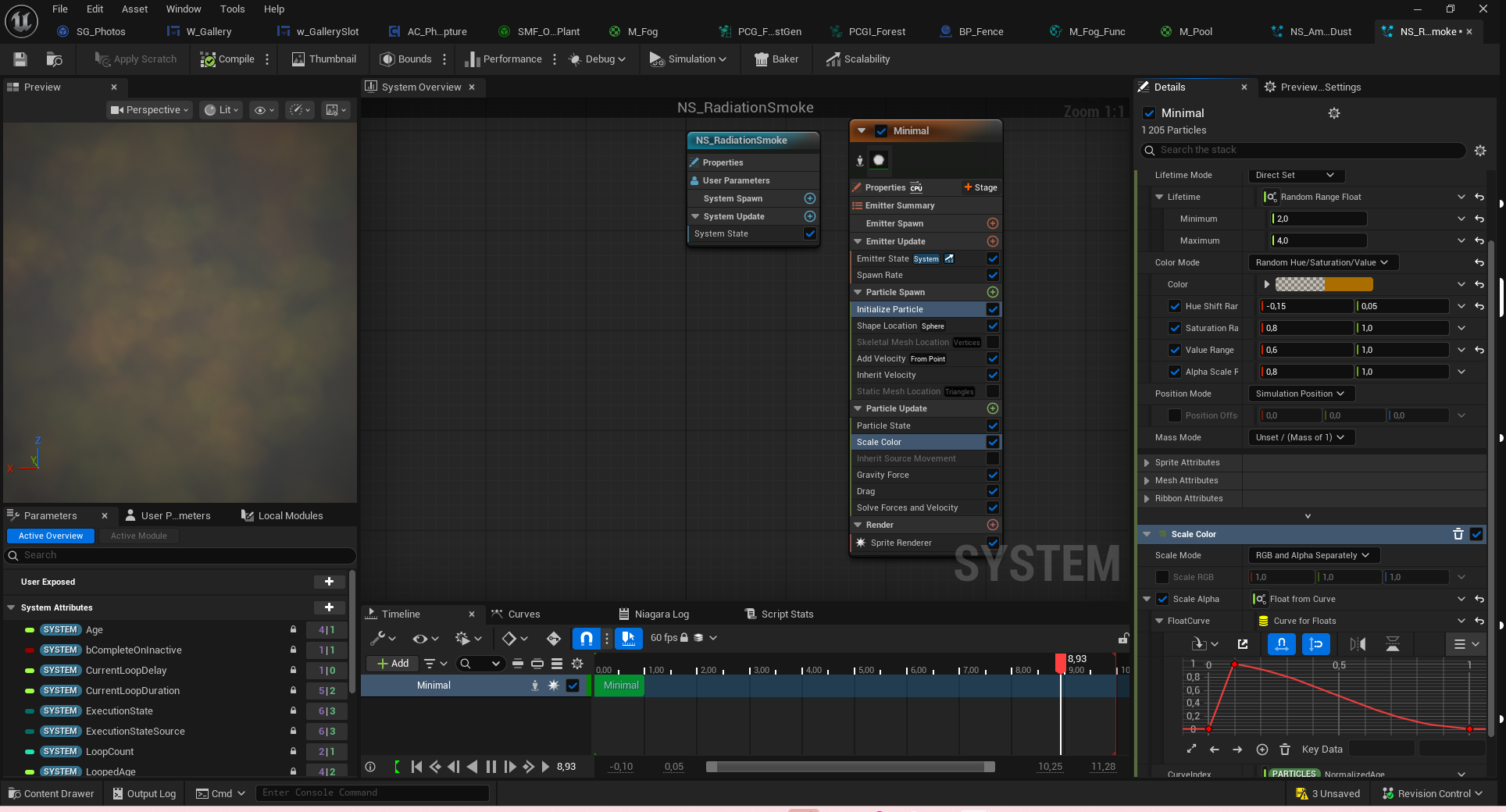
This one again was a rather simple niagara system. I created a material and played with noises and UVs displacement to have a small billboard, and in the NS I gave small variations in size, colors, transparencies, etc. to have some sort of toxic cloud in the player's vision without blocking the visibility on the scene. Here again, the depth fade was mandatory to avoid clipping into everything.


These ones really needed to be planned and designed in advance, as they are the main threat to the player of a survival horror. They are thermal remains, inspired by the stairs engraved by the shadow of a victim in Hiroshima, all unlit black, so the silhouette and transparency was the main focus. I also added a smoky trail to give it a more ethereal and threatening look, and also to be more easily spotted by the player without it being too obvious. Here's the breakdown :
Very simple, I recycle the smoke material I did for the nuclear cloud, changed the color to full black, and worked instead in the niagara system for it to spawn on the static mesh, and use velocity and force to move along it.

Most "tricky" part here is that I had to avoid using the UVs for the vertex displacement, so I added the x and y component of the LocalPosition and append it in a vector 2 with the z component to fake some sort of triplanar mapping with more control on what I really needed here, and a small noise displacement, for the surface of the mesh to ondulate weirdly, for the world position offset. I used the same noise panning to use the translucency because we didn't want the "pitch black that looks photoshopped" effect. After a few playtests, we realized the creature was blending a bit too much with the dark background, so I added a small fresnel with HDR white glow to better catch the eye of the player.


I did these two HUD materials. The first one is the damages reveived by the creatures, so I quickly made a vignette effect with a noise that looks like a dripping dirty wall. The other one was for the radiation damages, so instead of a leaking look I used a white noise that reminds me of snow on CRT TVs, because radiations on cameras and films causes white flashes and snow/white noise like damages to the recording material.

